


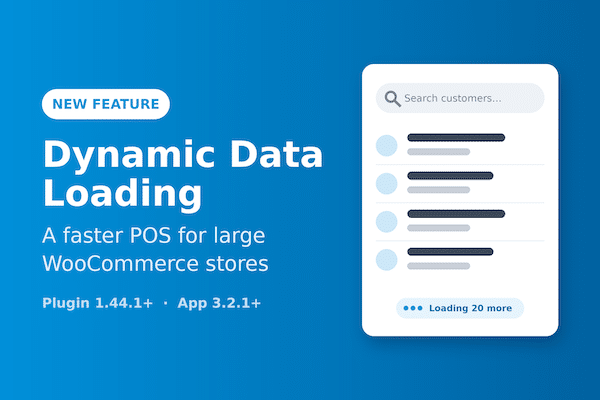
Dynamic Data Loading: A Faster FooSales POS for Large WooCommerce Stores
Got a big catalog or a long customer list? FooSales can now fetch customers, products and orders from your store as you search or scan, instead of loading everything onto the device first.
WooCommerce Black Friday POS Checklist (2026)
This year Black Friday falls on Friday, November 27, 2026, followed by Small Business Saturday (November 28) and Cyber Monday (November 30). For stores that sell both online and in-person, it’s the one weekend where every system gets tested at once: your website, your POS, your card readers, your Wi-Fi, and your staff. Most peak-weekend problems aren’t caused by the

Create an Burger Restaurant Ordering System with WooCommerce and FooSales POS
Burgers are personal. Extra bacon, no onions, Swiss instead of cheddar, and—if you give your customers a choice, most will say yes to fries and a drink if you make it easy. Our integration with the WooCommerce Product Add-Ons plugin makes this level of personalization effortless for both online and in-person orders. How Does a Burger Restaurant Ordering System Work

Christmas Selling Without the Chaos: Why One POS Matters
The festive season has a habit of changing how small businesses sell. Maybe you normally run an online store, but Christmas selling means pop-up markets, local fairs, click-and-collect, or in-person pickups. Or perhaps you already have a physical shop, but holiday shoppers are browsing online first, then buying wherever it’s most convenient. That mix of online and in-person sales is

Why Small Businesses Should Use a Native WooCommerce POS
Retail has changed. Customers expect to buy online, in person, at markets, or via social channels—often all from the same brand. If your systems can’t keep up, sales slip through the cracks. That’s why small businesses use FooSales, a fully native WooCommerce POS (point of sale) platform that connects your online and physical sales channels. With real-time inventory sync, offline

How to Sell Personalized Jewelry In-Store and Online with WooCommerce + FooSales
This article shows how to set up an ordering system with WordPress, WooCommerce, FooSales, and the WooCommerce Product Add-Ons extension so you can sell personalized jewelry online and in person at your store. Jewelry is deeply personal. Customers want their rings to reflect their unique stories—whether it’s a custom engraving with a name, date, or special message, the perfect ring

HPOS Migration for FooSales Merchants Checklist
Introduction WooCommerce has introduced High-Performance Order Storage (HPOS) to improve how orders are stored in the database. Instead of cramming order data into the standard wp_posts and wp_postmeta tables, HPOS uses custom database tables. The benefit? Faster queries, more scalable reporting, and a smoother admin experience. For merchants using FooSales as their WooCommerce POS, HPOS compatibility is essential. The good

Run a Pop-Up Shop with FooSales POS and WooCommerce (Step-by-Step Guide)
Pop-up shops are exciting but can be chaotic without the correct systems in place. With FooSales, your WooCommerce store transforms into a mobile point of sale (POS) that works online or offline. In this guide, we’ll walk you through the planning, setup, and operations of running a successful pop-up shop using FooSales, from prepping inventory to reconciling sales afterward. Introduction

The FooSales Web App is now built-in to the FooSales plugin
We’ve made an exciting update to the FooSales plugin that we think you’ll love—especially if you already use the FooSales web app. Previously, the FooSales web app was only accessible at web.foosales.com, where you needed to enter your store’s URL and login credentials in order to connect the web app to your store. With the release of FooSales plugin version

How Mr Vinyl Went from Clicks to Bricks with WooCommerce and FooSales POS
Discover how Mr Vinyl grew from an online WooCommerce store into an omnichannel brick-and-mortar business while ensuring accurate stock management, minimizing errors, and streamlining sales with WooCommerce and FooSales POS.

Why FooSales is the ‘Shopify POS’ for WooCommerce
In this post, we explore some of the fundamental differences between using FooSales POS for WooCommerce and Shopify POS. Shopify is an eCommerce platform that allows individuals and businesses to create, customize, and manage online stores without requiring technical expertise. Shopify POS (Point of Sale) is a significant part of what makes Shopify appealing for many retailers. It lets merchants

Best WooCommerce POS: FooSales vs. Square POS
In this post, we will look at the differences in how FooSales and Square POS work with WooCommerce and determine which is the Best WooCommerce POS. Choosing the best WooCommerce POS (point-of-sale) system for your business can make all the difference in how seamlessly your online and in-person sales operations run. If your store is built on WooCommerce, finding a
 English
 German
 Dutch
 Spanish
 Italian
 Portuguese
 French
 Polish
 Greek